
If we have iPhone, iPad, or blackberry, we can update facebook status from our mobile phones. Under our status, there are posts "via Facebook for Blackberry", "Facebook for iPhone", or "Facebook for iPad". Now, if we do not have those gadgets, we can still make a facebook status will be updated as if from those gadgets. For example, we will try to update facebook status via ipad.

1. Go to
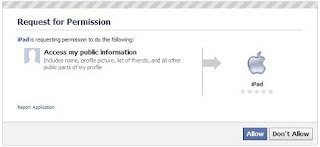
2. Then, the application will ask for permission. Click Allow
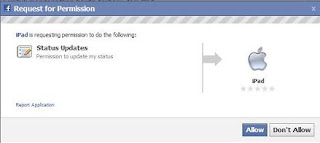
3. After that, the application will ask for permission so that you can update your facebook status via the application. Click on "Klik di sini, lalu pilih tombol Allow Publishing agar bisa update status melalui iPad"

4. On a pop up window, select allow publishing
5. Click okay after arise notice that you are able to update your status through this application.
6. The five steps above are only done when you first use this application.
7. After that, you can directly update facebook status through the form available on the application.
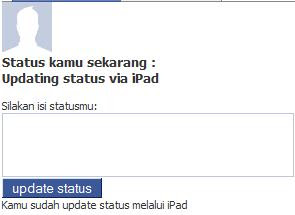
The application also provides links to update the status through other applications, such as facebook status updates via plurk. Good luck.

1. Go to
http://apps.facebook.com/ipadtofb
2. Then, the application will ask for permission. Click Allow

3. After that, the application will ask for permission so that you can update your facebook status via the application. Click on "Klik di sini, lalu pilih tombol Allow Publishing agar bisa update status melalui iPad"

4. On a pop up window, select allow publishing

5. Click okay after arise notice that you are able to update your status through this application.
6. The five steps above are only done when you first use this application.
7. After that, you can directly update facebook status through the form available on the application.

The application also provides links to update the status through other applications, such as facebook status updates via plurk. Good luck.

